
What's new in GRACe 1.4: a proper spring clean
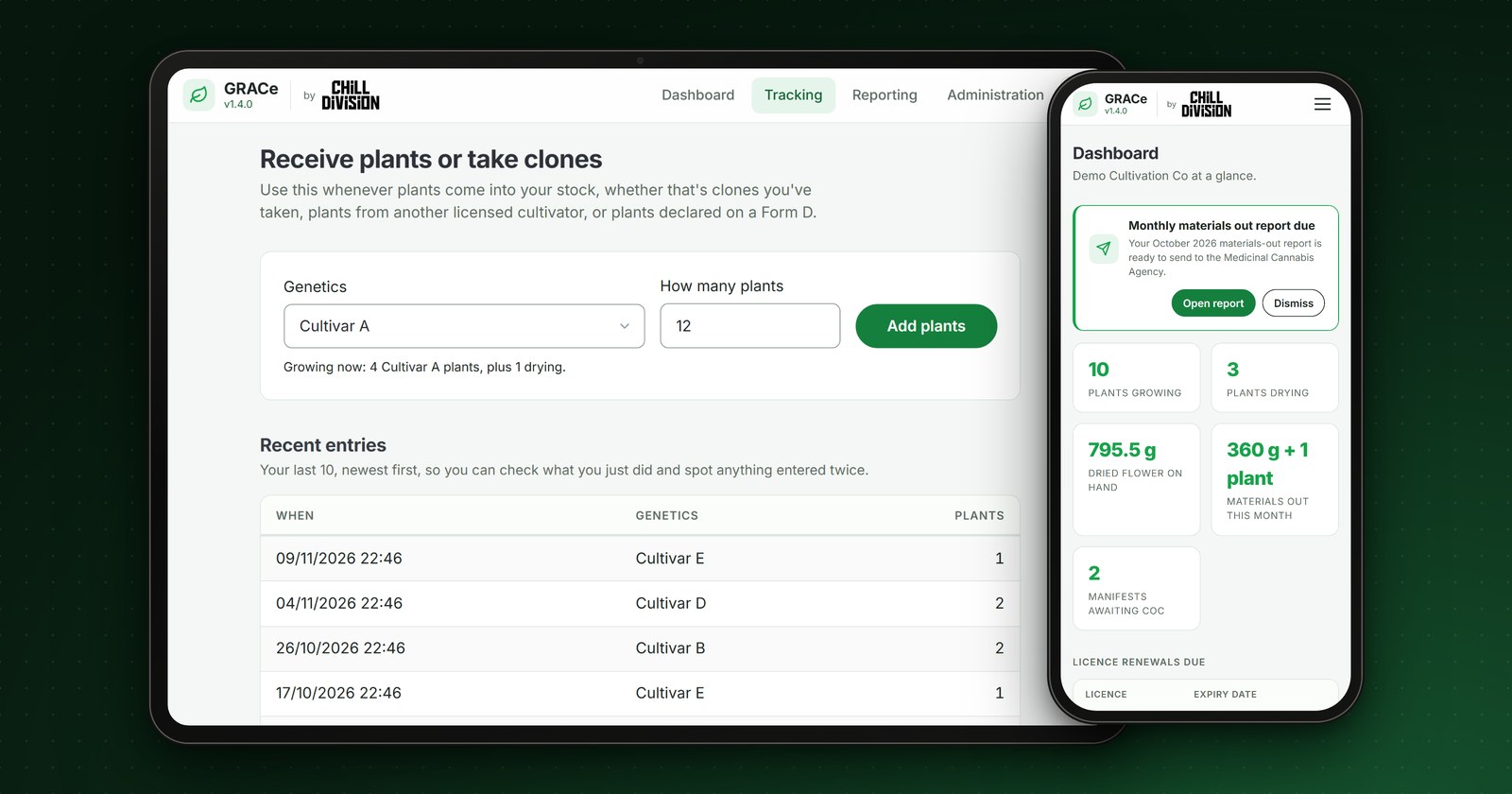
GRACe 1.4 is out! If you're already running GRACe, Home Assistant should be offering it to you right about now.
This one's a bit different. There's no big new feature this time. Instead, we went through every page with a fine-tooth comb and fixed all the little things that have been bugging us. Clearer names, forms that fit your screen, manifests that print te reo Māori properly, and GRACe looking like GRACe, whichever theme you use.
It's much easier to show than tell, so every change below comes with a before and after.
Receive plants, rebuilt for your PC
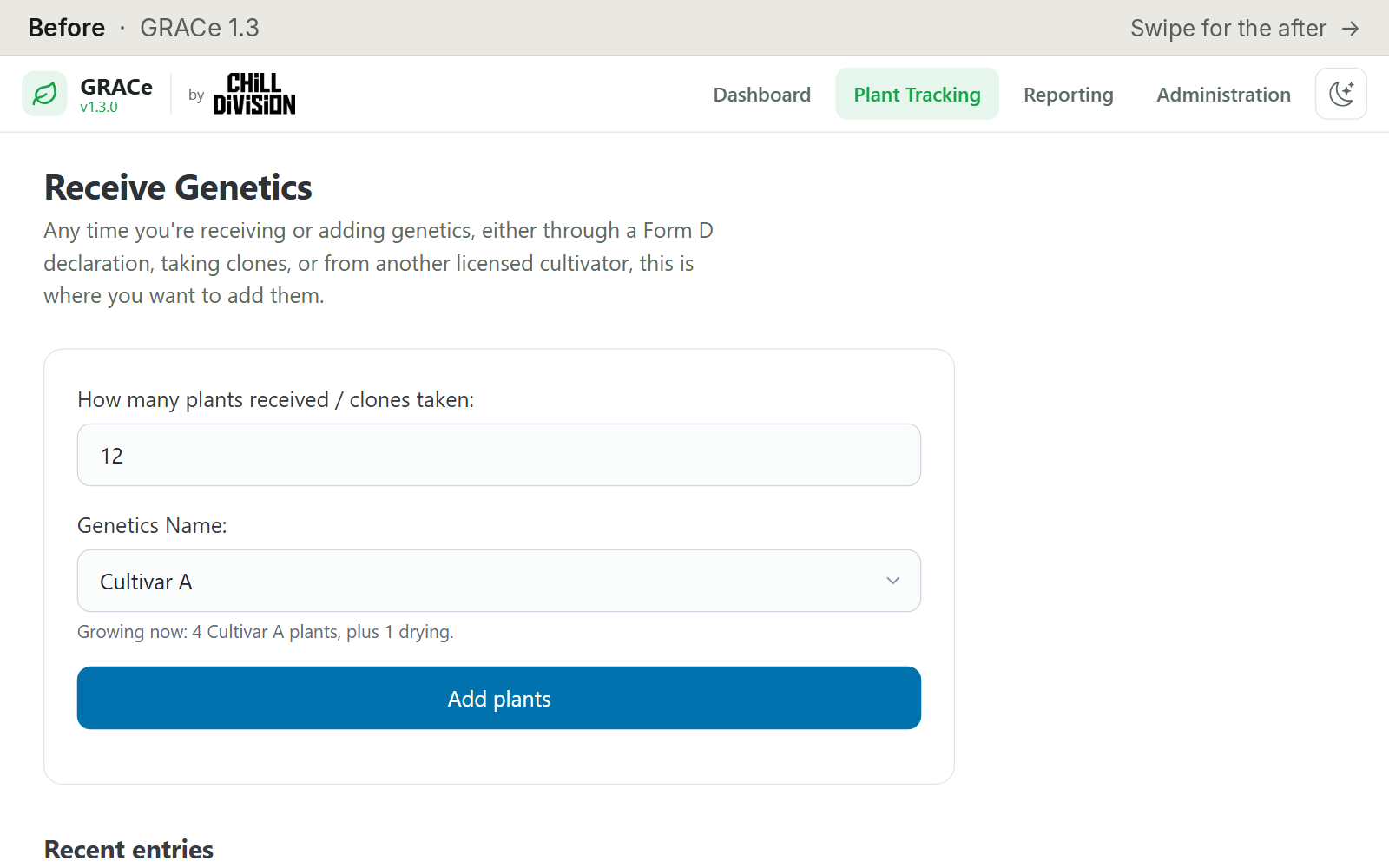
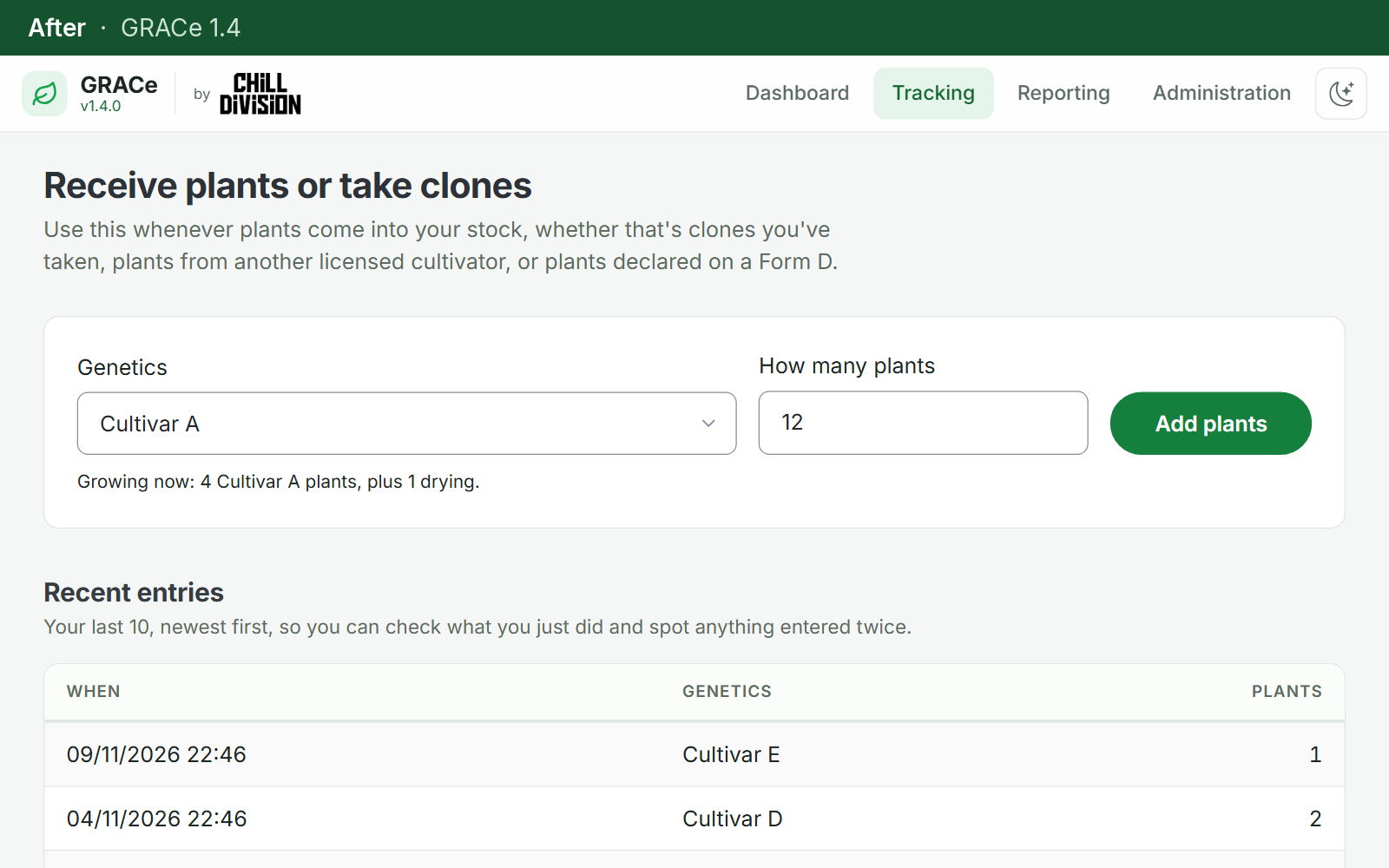
This was the big one. On a phone, the old Receive Genetics page was fine. On a PC, it was a skinny little column down the left of the screen, with a whole lot of nothing beside it.
It's now called Receive plants or take clones, because that's what you actually use it for. Pick the genetics first, then how many, then hit Add plants, all in one row. Your recent entries are right underneath, so you can check what you just did.
Here's the before. Swipe, or tap the arrow on the right, to see the after.
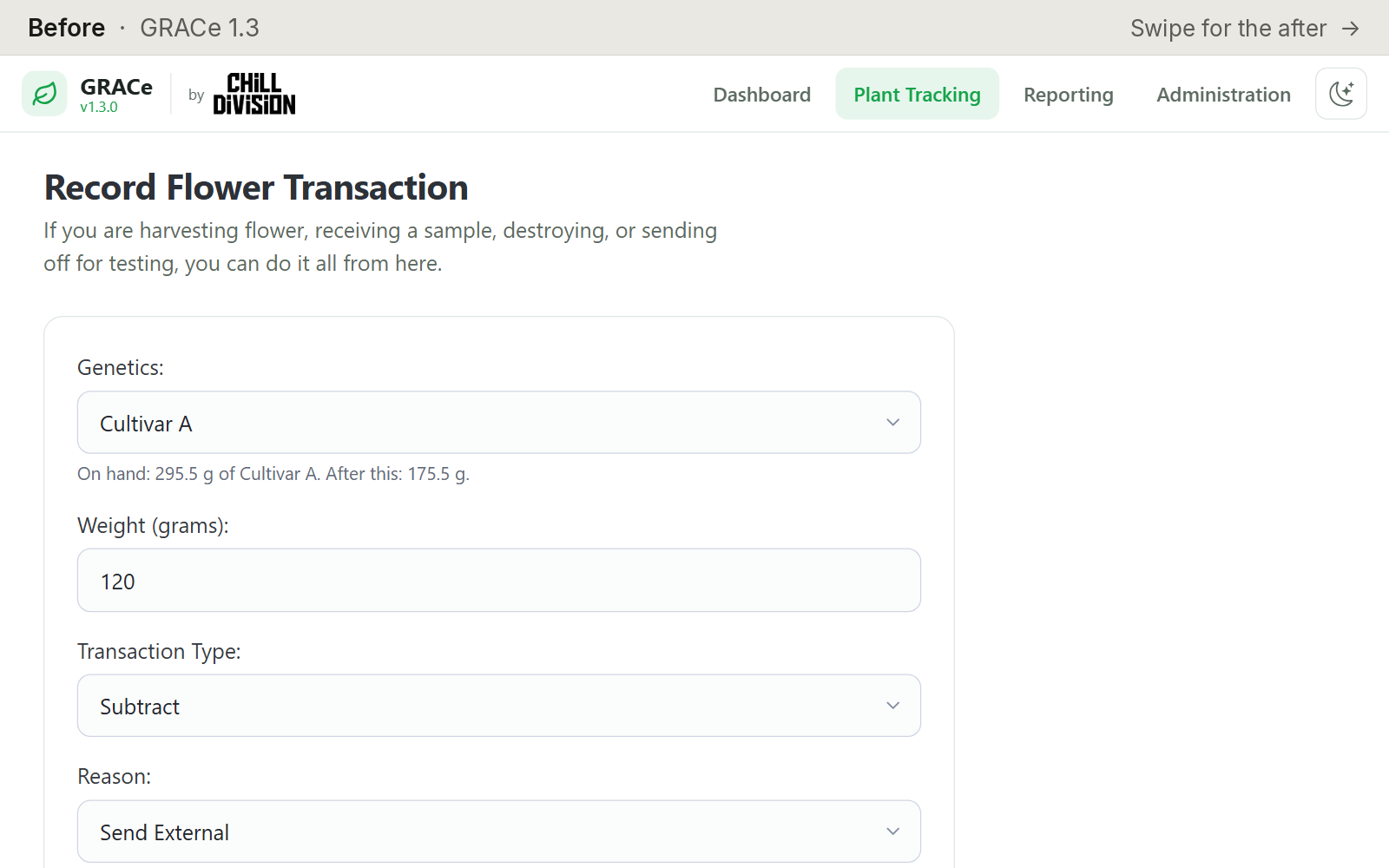
Record dry weight change got the same treatment. It used to open as "Record Flower Transaction", with one field after another down the page. Now the genetics, the weight, add or subtract, and the reason all sit side by side.
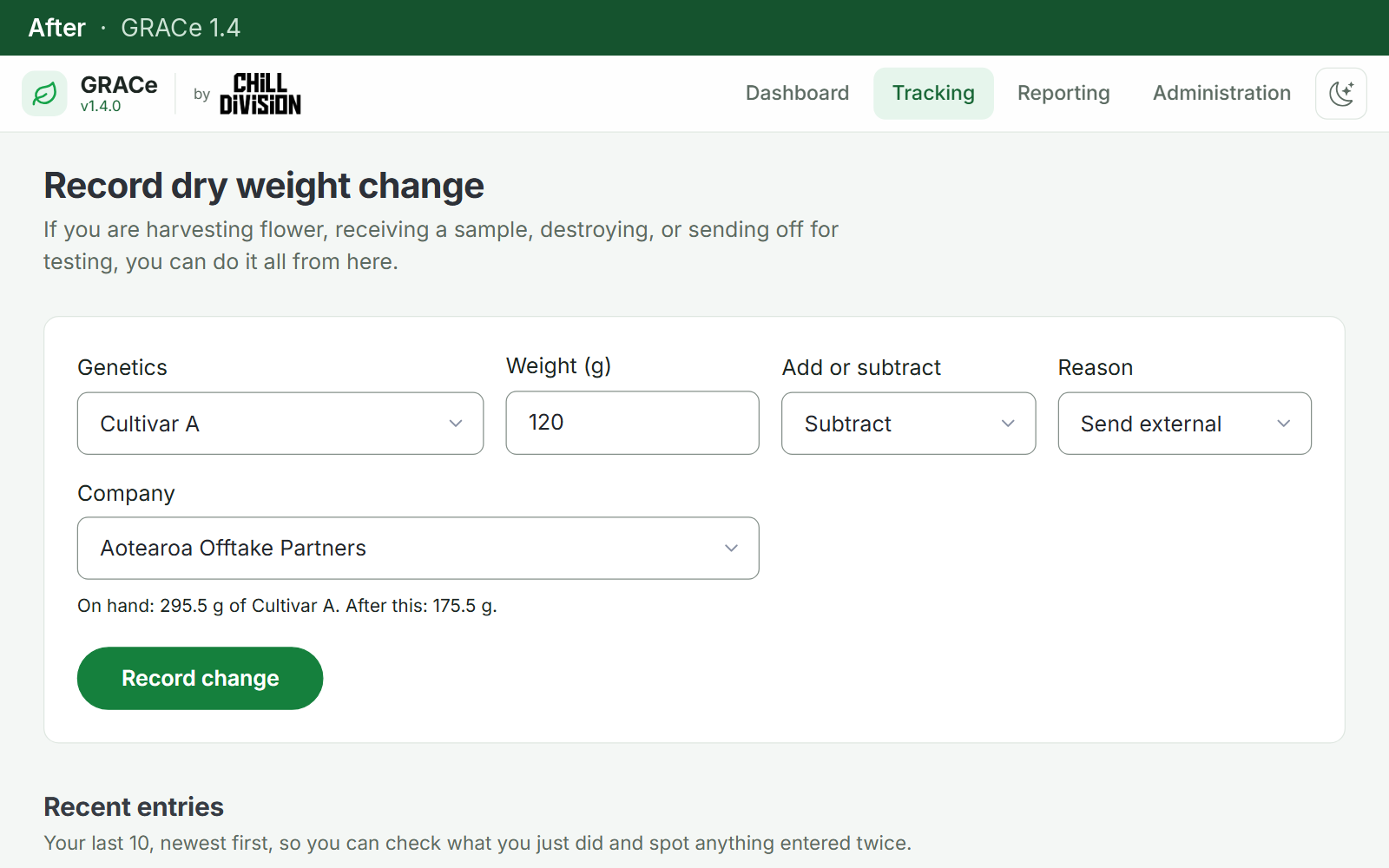
On a phone, both pages still stack up neatly, one field under the other.
Manifests that print te reo Māori properly
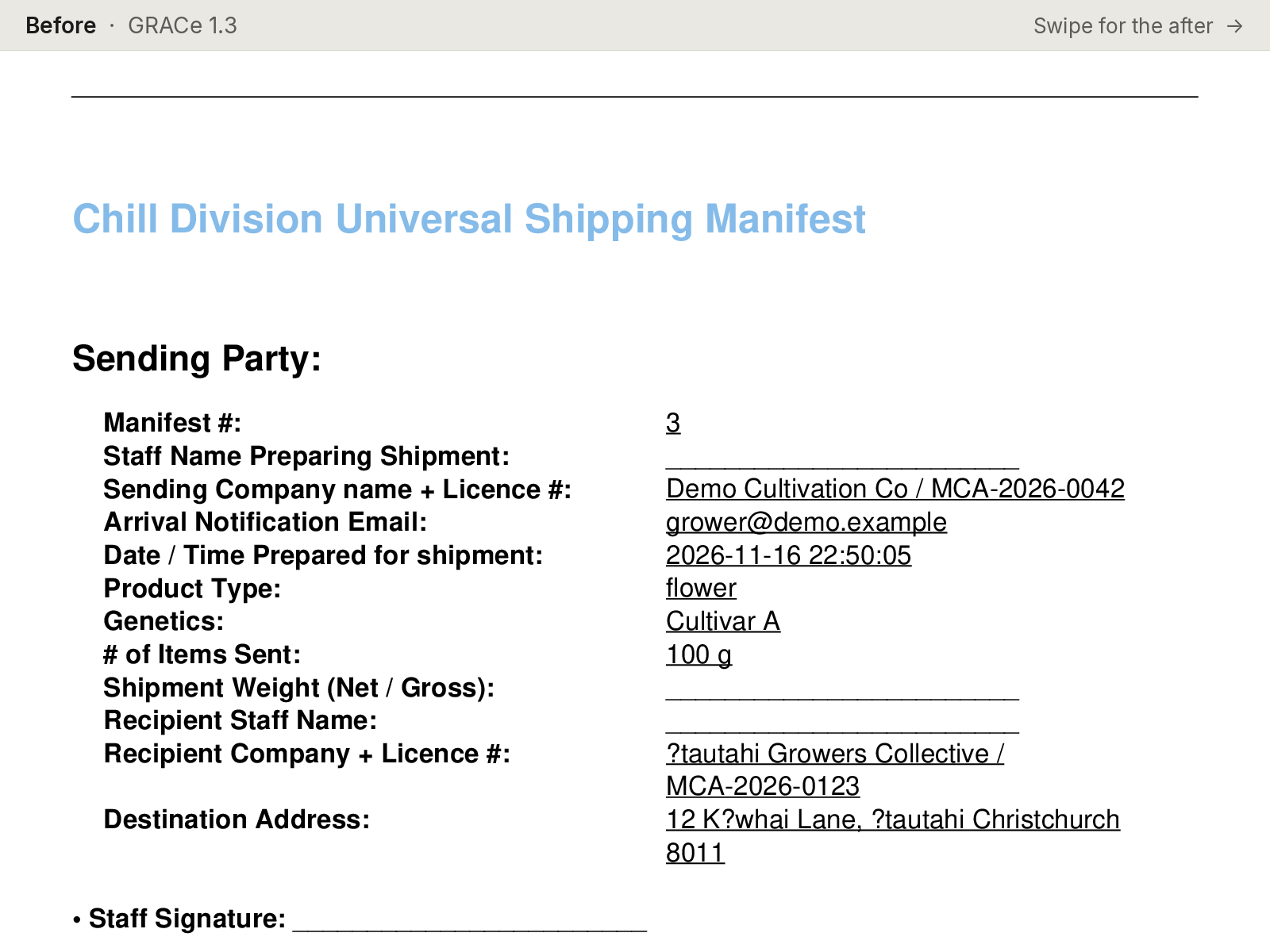
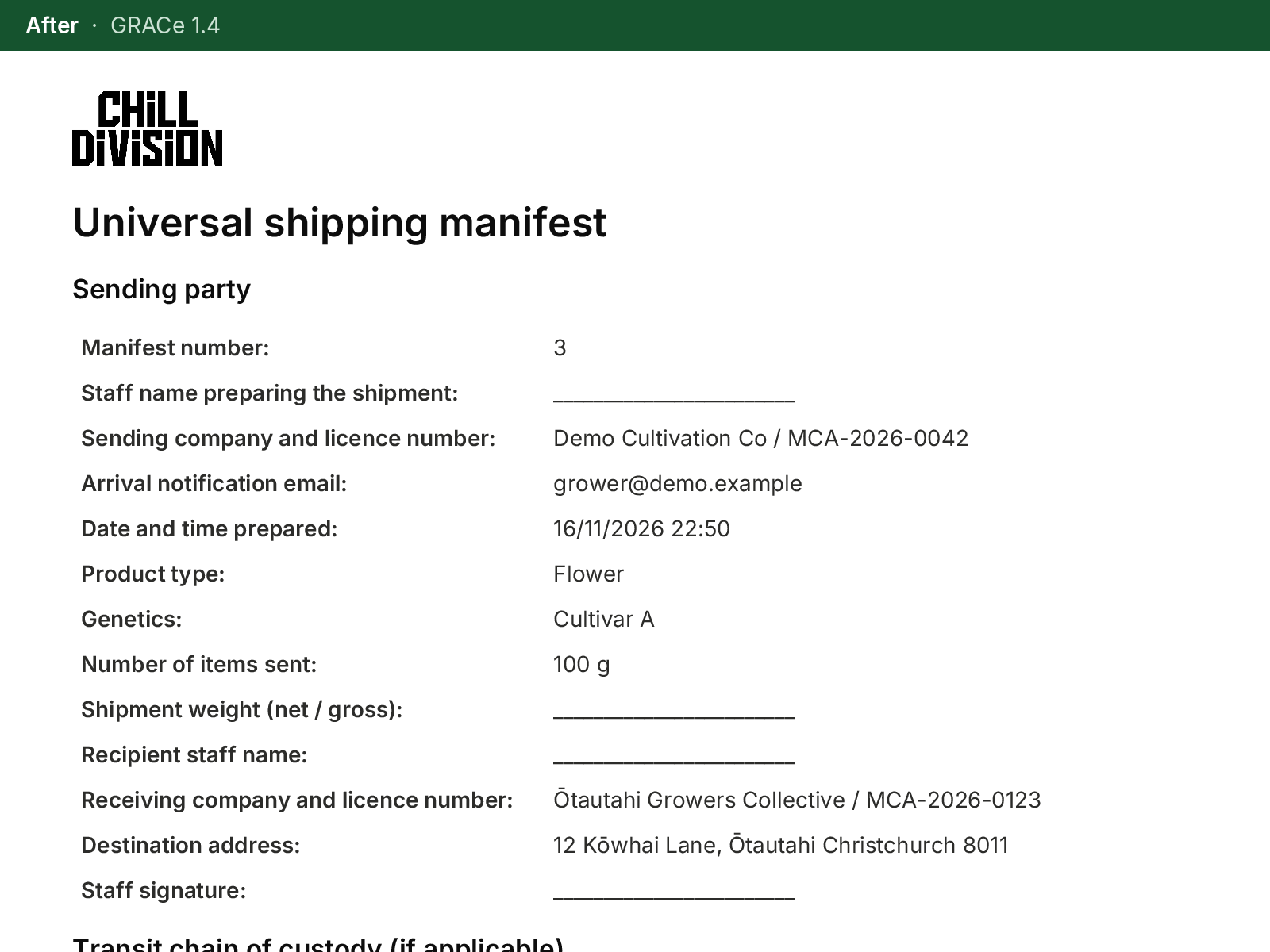
Plenty of New Zealand businesses and addresses have macrons in them. The trouble was, the font GRACe used for shipping manifests didn't have any. So every letter with a macron printed as a question mark, and Ōtautahi came out as "?tautahi". Not a great look on paperwork that travels with every shipment.
Manifests now use the same font as the rest of GRACe, with te reo Māori characters built right in, so names and addresses print exactly as you typed them. They've got the Chill Division logo up top now too, and the date reads the Kiwi way.
GRACe's own colours, and the same font everywhere
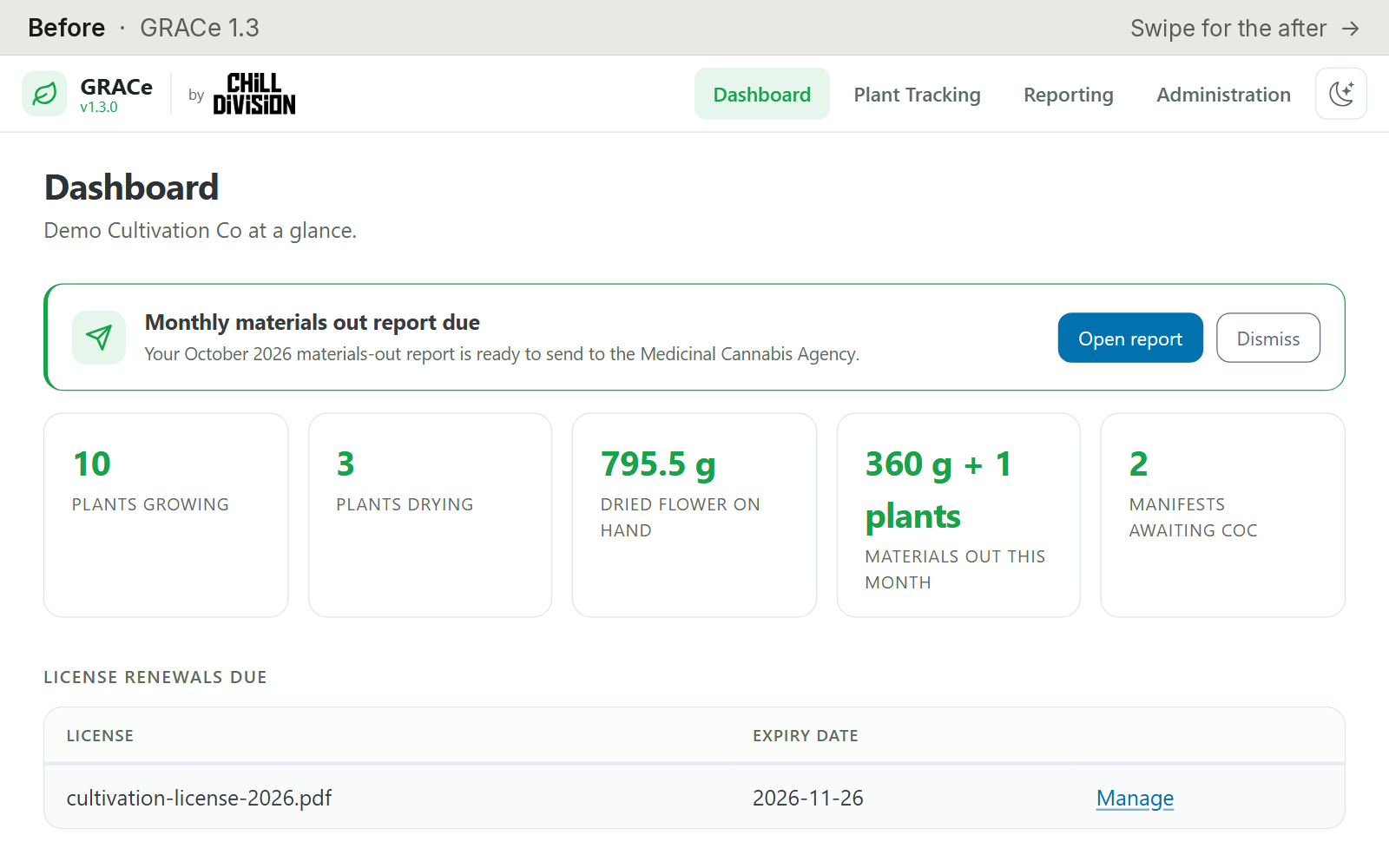
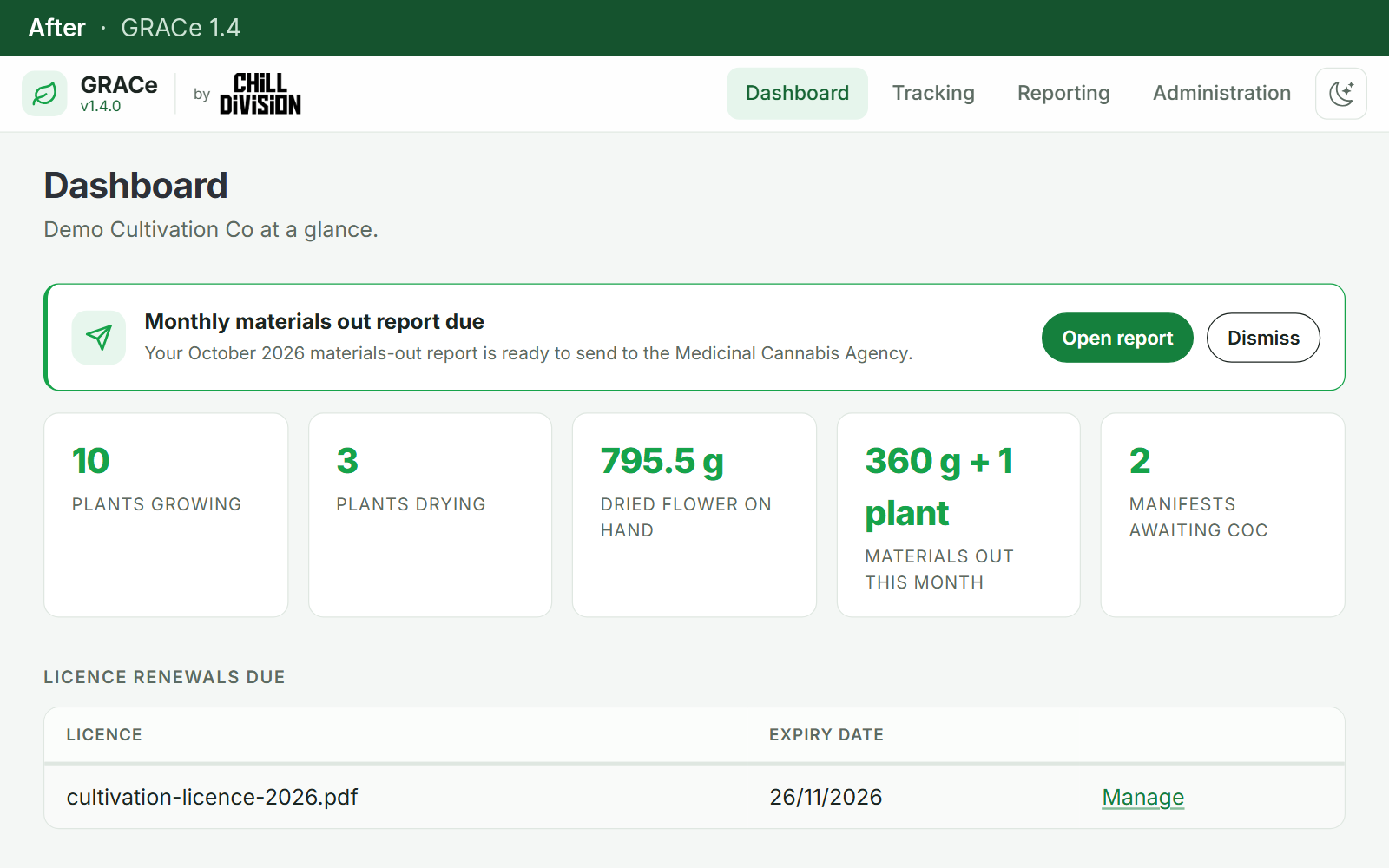
Back in 1.3, the dark theme had GRACe's greens, but switch to the light theme and the main buttons turned blue. That's sorted. Light or dark, GRACe now looks like GRACe.
GRACe brings its own font now, too. Before, it used whatever your PC or phone had, so it looked a little different on every device. Now it's the same everywhere, and it's the same one on your manifests.
Tables that fit on your phone
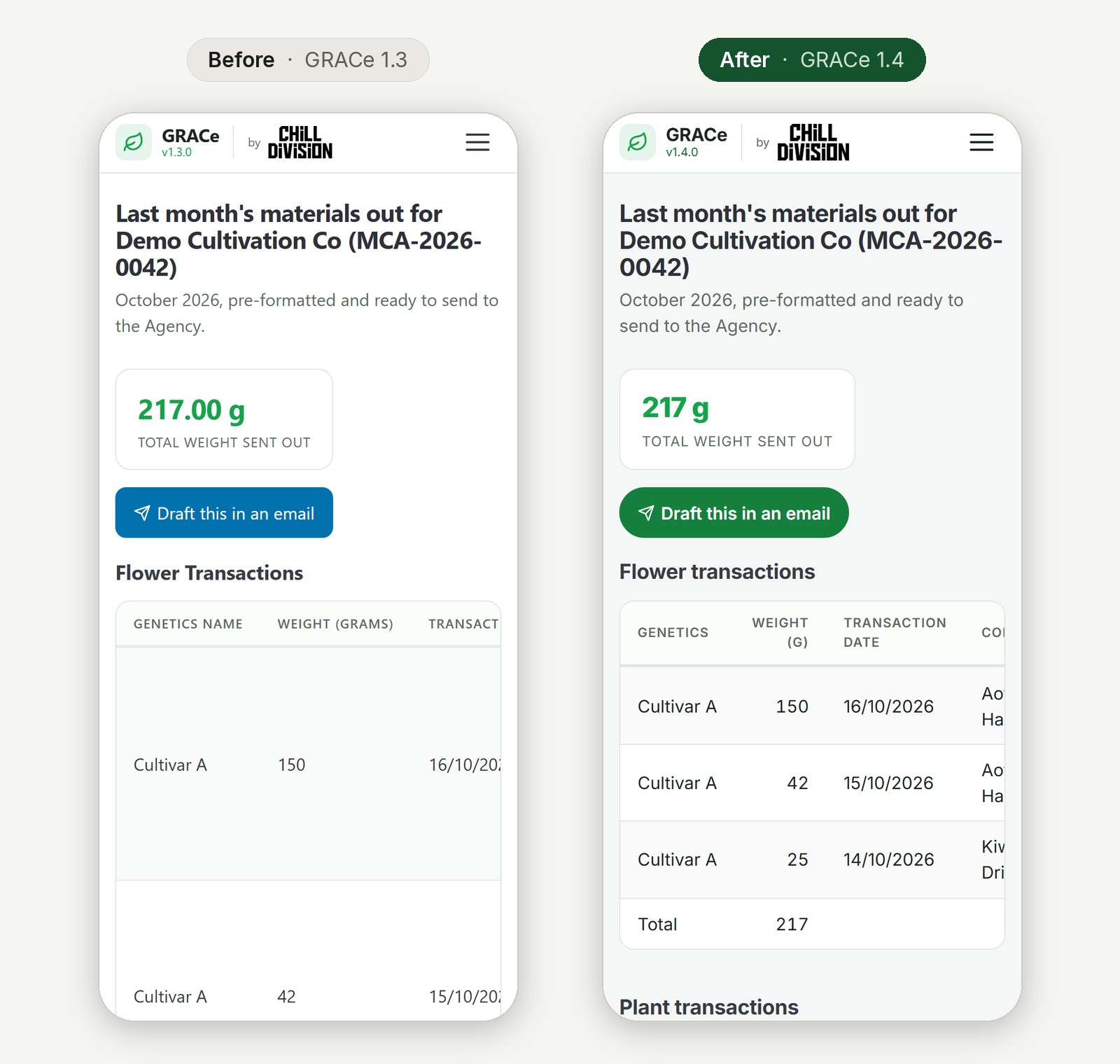
Ever opened last month's materials out on your phone and found a single entry eight lines tall? Your phone squeezed every column as narrow as it could, so a company's address ran down the screen one word at a time.
Now each value stays on one line, longer ones like addresses wrap at a sensible width, and the table scrolls sideways for the rest. Most rows are back down to one or two lines.
Tracking, because it's not just plants
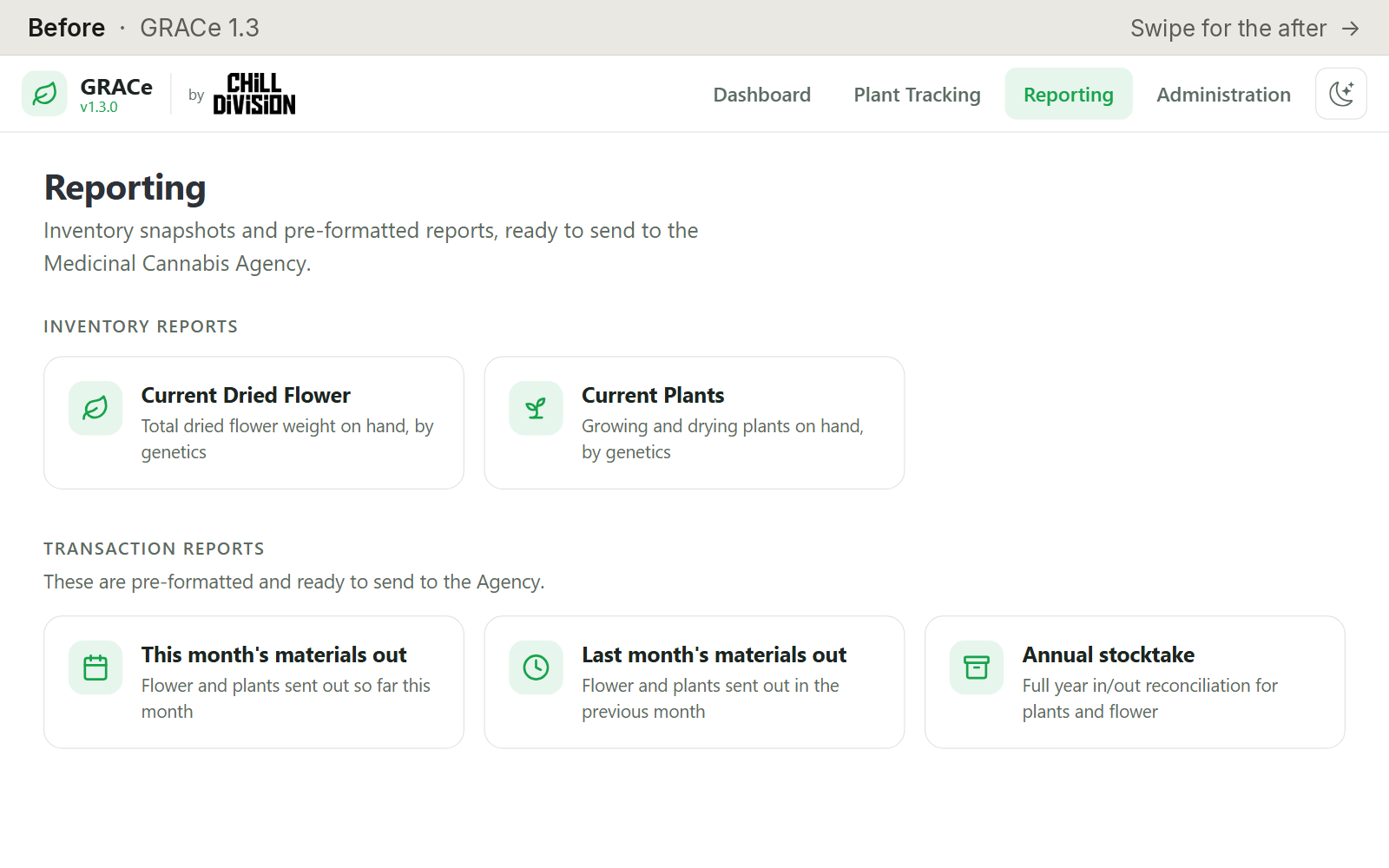
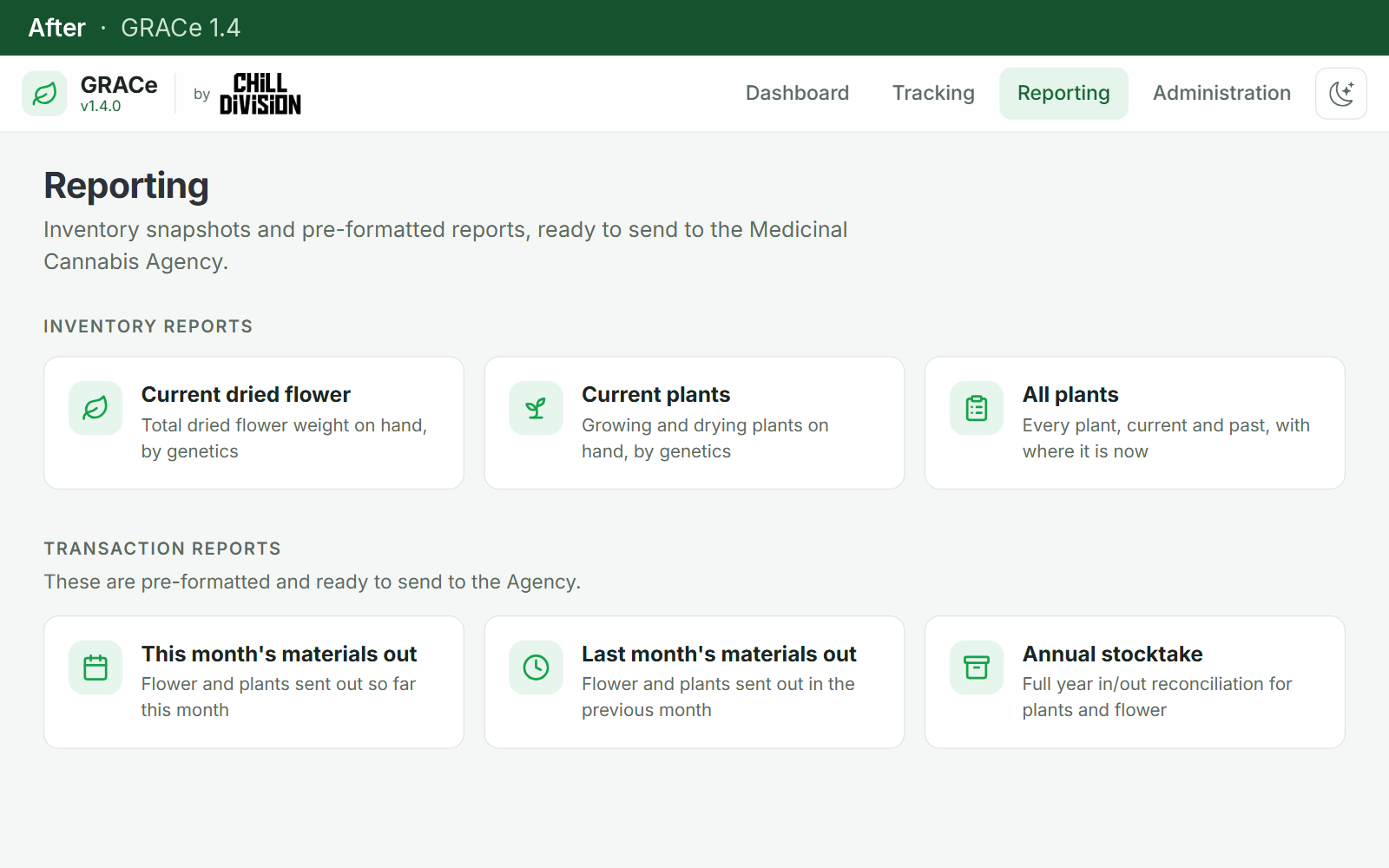
Plant Tracking is now just Tracking. You record your dried flower there too, so the old name never really fit.
List all plants has moved to Reporting, and it's now called All plants. It sits next to Current plants and Current dried flower, right where you'd go looking for it. Tracking keeps the pages that change your records, and Reporting has the ones that just show you what's there. The Plants growing and Plants drying boxes on the Dashboard still take you straight to it.
And a whole lot of little things
- Dates read 26/11/2026, everywhere. Some pages said 2026-11-26 and others said 26 Nov 2026. Now they all match.
- Totals lose the .00. 217 g is 217 g.
- "1 plant", not "1 plants". Small, but it bugged us.
- Every page has the same name as the button that opens it. No more tapping "Receive plants" and landing on "Receive Genetics".
- Licence, spelt the Kiwi way. GRACe is made in New Zealand, for New Zealand growers.
- Easier to read in the light theme. Small coloured text, like status badges and messages, stands out more.
- Missed an update? What's new catches you up. If you skipped a version, the pop-up shows you its notes too, so nothing slips past.
Why sweat the small stuff?
Because you're in GRACe every day, and often at the end of a long one. When every page is clear and everything's where you expect it, you get it right the first time and get back to the garden. GRACe's records can't be edited after the fact (that's the whole point), so getting it right the first time really does matter.
And when a manifest goes out with a shipment, or a report goes off to the Agency, it should look as professional as the operation behind it.
Still free, still yours
Same as always, GRACe is free and open source, and your data stays on your own Home Assistant box. If you missed why we give it away, it's all in our GRACe 1.3 post.
Getting it
Already running GRACe? The update shows up in Home Assistant under Settings. If you turned on Auto update, it's probably already done.
New to GRACe? It takes two steps:
- Add our repository to Home Assistant in one click, or add
https://github.com/Chill-Division/GRACe_repoas a repository under Settings → Apps - Install GRACe, turn on Show in sidebar and Auto update, then hit Start
There's a user guide built right in, with fresh screenshots for both PC and phone.
Got an idea for what GRACe should do next, or something about it that drives you up the wall? Flick us a message on Instagram, or get in touch.
Now go and print a manifest with a macron in it.